
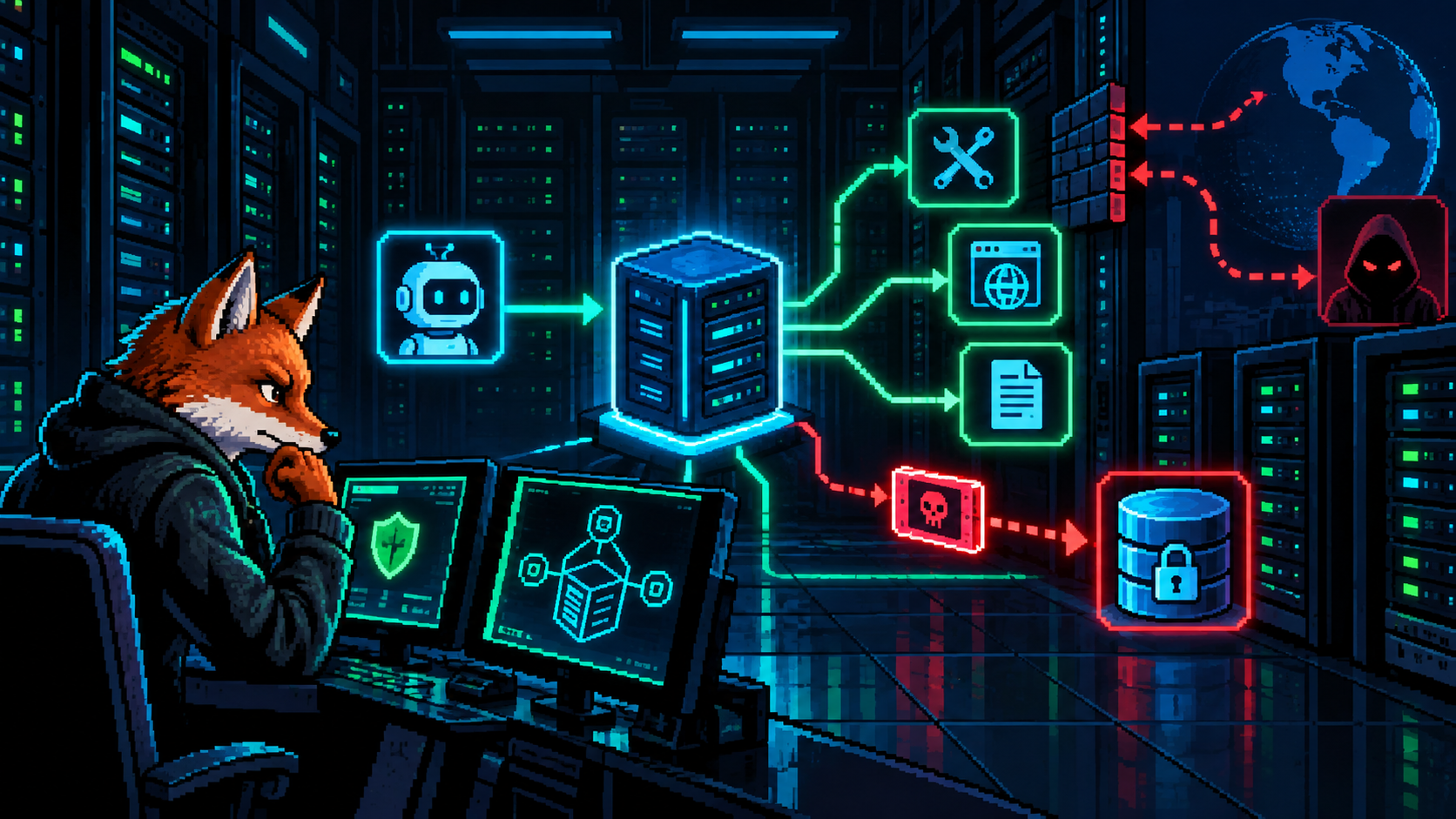
Building a DevSecOps Pipeline with GitHub Actions
TLDR: I built GitHub Actions checks for application tests, code and dependency scans, container findings, and ZAP against a disposable instance. I explain what each check can establish; connecting the security gate to Railway deployment is still a separate enforcement step, and GitOps is a possible later deployment approach.
Before this project, I would change the website, push the code to GitHub, and let Railway rebuild and deploy it. The change appeared on the site. That was the feedback loop I knew.
BEFORE / PUSH TO DEPLOY
A push changes the website.
What I hadn't realised was how much checking could fit before deployment. The same change could be tested for unsafe code, leaked credentials and vulnerable packages. A temporary copy of the application could even be started and probed automatically.
AFTER / SECURITY CI
A failed gate stops the release.
I built the checks and a dashboard to see their results. Connecting the gate to deployment is the next enforcement step. These checks are security CI. GitOps is a separate deployment approach, which we'll place in the full flow later.
What should happen before the website changes?
Seeing a page load tells me that one request worked. It doesn't tell me whether a secret slipped into the code, whether a package has a known vulnerability, or whether the server will reject an invalid request. Those are different questions, and I can turn them into repeatable checks rather than relying on a quick look at the website.
Continuous integration, or CI, means integrating changes frequently and checking them automatically. Our pull-request workflow provides a repeatable place to build the application and ask those security questions. Adding security checks to that process is the part of DevSecOps this project explores.
GitHub Actions is one option. GitLab CI/CD and Jenkins also automate builds, tests and delivery. I chose GitHub Actions because the code and pull requests were already on GitHub, and Actions could coordinate the scanners, containers and browser tests in the same place.
CI / JOB DEPENDENCIES
Several checks run at the same time.
The build establishes that the proposed change can become an application. The other checks ask whether selected security requirements hold. They complement each other: compiling successfully won't tell us whether a customer can access someone else's document.
Semgrep: look for unsafe code before running it
Some problems are visible in the source before the application ever starts. For example, combining a document ID from a request directly into SQL can let input change the meaning of the database query.
Semgrep examines source code using selected rules. We combined reviewed ready-made rules with a few project-specific checks. Some rules recognize a dangerous operation directly; others follow how input reaches it.
Here are four examples of patterns Semgrep rules can flag. The exact coverage depends on which rules we enable; this is an illustration, not a list of confirmed findings in our application.
| Unsafe pattern | Example | Why investigate it? |
|---|---|---|
| Building SQL from request input | db.query("SELECT * FROM docs WHERE id=" + req.query.id) |
Input may change the query instead of remaining data. |
| Executing input as code | eval(req.body.expression) |
A request can become JavaScript executed by the server. |
| Returning input as HTML | res.send("<h1>" + req.query.title + "</h1>") |
A browser may interpret unescaped input as markup. |
| Disabling certificate verification | new https.Agent({rejectUnauthorized: false}) |
The connection no longer verifies the server certificate normally. |
That second technique is taint analysis. Think of putting a marker on data that came from a user. The scanner tries to follow that marked data as the application assigns it to variables or passes it toward a sensitive operation.
The document page might also display a customer-supplied title, giving us another input path to examine. If the server puts that text straight into an HTML response, the browser might interpret it as markup. The scanner calls the request input a source, the HTML output a sink, and a suitable escaping function a sanitizer. The important question is whether the input reaches the output without the protection that context requires.
CODE / TWO INPUT PATHS
Follow the value into the response.
A real application spreads that journey across functions, files and libraries. This is where the analysis engine and its models matter. Our Community Edition setup analyzes files individually; it does not trace complete flows across files and third-party packages. Scanning every file does not mean following every connection between files. Semgrep's analysis glossary explains the distinction.
We test the rules against deliberately unsafe and corrected examples. That shows selected rules behave as expected. A finding still needs investigation, and a clean result doesn't replace tests of the application's actual behavior.
Gitleaks: catch credentials that slipped into the change
The same pull request might accidentally include an API key copied during debugging. The code could be perfectly valid and still expose access to another service.
Gitleaks looks for text matching known credential patterns and other configured indicators. In our pipeline, it scans selected tracked application and configuration files. A synthetic secret must trigger detection, while ordinary text must pass. Gitleaks provides the scanner and built-in rules.
Some recognizable shapes include the following. These are shortened illustrations, not working credentials or an exhaustive list of detection rules.
| Credential type | Recognizable shape |
|---|---|
| GitHub personal access token | ghp_… or github_pat_… |
| Stripe secret API key | sk_live_… |
| AWS access key ID | AKIA…, with the rest of the expected format; this ID alone is not the secret access key. |
| Private key material | A block beginning -----BEGIN PRIVATE KEY----- |
The scanner uses fuller patterns and other checks, not just the visible prefix. A match is a credential candidate to investigate. Gitleaks' built-in configuration shows the supported patterns.
This check is about exposure. Removing a leaked key from the code is only part of the repair: the key needs revocation or rotation because an earlier copy may still exist. It also explains why application credentials belong in secret storage rather than source files.
Trivy and the SBOM: inspect what we are about to ship
Even after reviewing our own code, the release contains software from elsewhere. Our application imports Node packages, and its container image includes a Node runtime and operating-system libraries. A vulnerability in one of those components can matter even when our code hasn't changed.
We check the production Node dependency tree against known advisories with npm audit. We also build the application image and inspect that with Trivy, a vulnerability scanner that can identify supported packages inside the image and report known issues. This second check reaches beyond the application package list into components included by the image. npm audit and Trivy image scanning document those checks.
Trivy also generates our Software Bill of Materials, or SBOM: a machine-readable inventory of identified components and versions. That connects the question “what vulnerabilities were known when we checked?” with “what exactly did this release contain?”
IMAGE / TWO OUTPUTS
Inventory and verdict are separate outputs.
Suppose an advisory appears next month. The saved SBOM helps us identify releases containing the affected package without reconstructing their contents from memory. We use CycloneDX as the inventory format. An inventory isn't a clean bill of health; it gives later investigation something concrete to work from.
Here is a small illustrative CycloneDX SBOM, using made-up package names. A real image inventory contains many more records and metadata:
{
  "bomFormat": "CycloneDX",
  "specVersion": "1.6",
  "version": 1,
  "components": [
    {"type": "application", "name": "demo-web", "version": "1.0.0"},
    {"type": "library", "name": "example-parser", "version": "2.3.0"}
  ]
}
The component name and version let a later investigation ask: “Did we ship the affected parser?” The SBOM records what was identified; the vulnerability report answers a separate question about known issues.
ZAP: send security tests to the running application
Source and package checks still haven't exercised the document page. Now the workflow starts a disposable application and database using Docker Compose. ZAP runs in a separate container and sends HTTP requests to that application, much as a browser or API client would.
DAST / REQUEST AND RESPONSE
ZAP is a client of the application.
Our ZAP setup uses scanner rules, not an LLM. It changes request inputs using implemented attack techniques, then examines errors, response differences or timing for signs of a weakness. For example, a SQL-injection rule can send SQL fragments and compare what the server does. ZAP active scan rules explain those probes.
Our baseline checks observe responses while exploring the site. Authenticated API checks use a synthetic session to reach private endpoints; active API and web checks send attack-oriented inputs. A separate deliberately vulnerable endpoint must trigger the expected XSS finding, and the workflow saves HTML/JSON reports for inspection.
This is automated scanning, not a penetration test. ZAP doesn't infer who owns a document or understand every business workflow. It can miss endpoints it doesn't discover or reach while signed in. Our bounded scans cover a synthetic test surface using selected real application components, not every production route. That is why we also write tests for the behavior we specifically require.
Regression tests: make the required behavior repeatable
A regression is behavior that used to work becoming broken after a change. A regression test is code that performs an action and checks its result, so later changes don't quietly undo a working behavior or a repair.
For example, after fixing input handling that could crash our CI test adapter, we want every later change to reject that input and leave the application running. Here is an illustrative Python test based on that check. The client fixture would supply an authenticated test client pointed at the disposable application:
def test_invalid_input_does_not_crash_application(client):
    response = client.post(
        "/api/ci/documents",
        json={"title": "bad\u0000title"},
    )
    assert response.status_code == 422  # Reject invalid input.
    assert client.get("/health").status_code == 200  # Still running.
The test runner executes that function during CI. If either assertion is false, the test fails and returns a failing result to the workflow.
We can write the same kind of test for ownership: sign in as customer A, request customer B's document and require a denial. Our lab currently demonstrates filtering with simulated teams inside one signed-in session; separate customer identities and their team membership still need their own production authorization tests.
REGRESSION / REPLAY THE EXPECTATION
The saved test runs again after the next change.
The gate turns those results into a decision
At this point we have several kinds of evidence. A gate is the requirement that determines whether the change may move forward. For our security workflow, every mandatory job must succeed. A scanner crash or missing required report does not count as success.
In GitHub Actions, we can express that decision in YAML. This simplified example assumes three earlier jobs named tests, source and image:
security_gate:
  needs: [tests, source, image]
  if: always()
  runs-on: ubuntu-24.04
  steps:
    - name: Require every check to pass
      env:
        TESTS: ${{ needs.tests.result }}
        SOURCE: ${{ needs.source.result }}
        IMAGE: ${{ needs.image.result }}
      run: |
        test "$TESTS" = success
        test "$SOURCE" = success
        test "$IMAGE" = success
needs waits for the named jobs. always() lets this decision run even if an earlier job failed. Each shell test checks one result; a failure makes the step fail. A missing or skipped required job isn't success either. Our actual gate uses the same approach for all mandatory jobs. GitHub workflow syntax defines these controls.
For this to control releases, the repository must require the check and the deployment process must respect it. Our expanded workflow is still in a draft PR, and the existing production deployment integration remains separate. A red workflow alone does not stop that integration.
The test job should not hold the production keys
A test job runs code that has not necessarily been approved yet. Imagine a pull request changing the build script to send its environment variables to an outside server. If we give that job a production deployment token, the script could steal the token and use its permissions to change the live application. A production database password could expose the real data instead.
The test job needs to build the change and exercise a disposable application. It does not need authority over the live service. We give it synthetic test credentials and a repository token with limited permissions. Deployment access belongs in a separately restricted release context, after the required checks and approval. Merely naming a second job deploy does not create that restriction.
SECURITY / CREDENTIAL BOUNDARIES
Keep deployment access out of PR tests.
In our workflow, read-only repository permissions prevent test jobs from using their token to push code changes. Pinned Action revisions identify the exact automation code selected for review. The separate evidence collector can store results without handing its credential to the proposed application code. These are concrete limits on what each part can do. GitHub's secure-use guidance covers these trust boundaries.
Where should production credentials live?
Store credentials where they are needed, and expose them only to the job or service that needs them. A deployment token and the running application's database password have different jobs:
| Credential | Where it belongs | Who should receive it? |
|---|---|---|
| Disposable database password | Isolated CI test configuration, with synthetic data only | Test jobs |
| A deployment token, if the provider requires one | GitHub Actions secret, preferably scoped to a protected production environment where supported | The authorized deployment job |
| Production database password or application API key | Hosting runtime configuration or a secrets manager, such as Railway variables or Google Secret Manager | The running application |
GitHub provides repository, organization and environment secrets. For production deployment, use environment restrictions and approvals where the repository's plan supports them, and verify which workflow can access the credential. A secret store protects storage; it cannot stop code from misusing a secret once that code receives it. GitHub's secrets documentation explains the available scopes.
Inside an authorized deployment step, a reference could look like this:
env:
  DEPLOY_TOKEN: ${{ secrets.PRODUCTION_DEPLOY_TOKEN }}
That references a stored value rather than writing the token into the repository. The reference itself is not an approval gate: putting it in a PR test job would give that job the credential. Our security workflow has no production deployment job; this is the release design we would add.
Future GCP deployment: temporary access through OIDC
OIDC can let the cloud trust an approved workflow without us storing a long-lived Google service-account key in GitHub. OIDC means OpenID Connect. It supplies proof of the workflow's identity; cloud permissions still decide what that identity can do.
For GCP, the proposed flow is:
- An authorized deployment job requests a signed identity token from GitHub. Its claims identify the workflow context, including the repository and branch or environment information.
- Google Cloud Workload Identity Federation checks the token and our trust rules. We configure those rules to accept only the intended repository and release context, rather than any GitHub workflow.
- The job obtains short-lived cloud access through federation, optionally using service-account impersonation. Narrow IAM permissions limit what it can deploy, and the temporary credentials expire.
This is a proposed extension, not something implemented in our current pipeline. It requires configuring GCP trust and IAM as well as the release workflow. It reduces the need to keep a reusable cloud key, but does not make an unsafe build script safe or remove the need for release controls. GitHub's GCP OIDC guide describes that integration.
GitOps, Gitflow and GitHub Actions are different things
These names sound related because Git appears in all of them. They answer different questions, and using one does not mean we have implemented the others.
| Name | The question it answers | What it means here |
|---|---|---|
| Git | Which version of the files is this? | Records commits and history. |
| Gitflow | How do we organize development and release branches? | A branching model using branches such as develop, feature, release and hotfix branches. |
| GitHub Actions | What automation runs when an event happens? | Runs our build, tests and security checks; it can also run deployment commands. |
| CI/CD | How do changes get checked and delivered? | Practices for integration, verified releases and controlled or automatic deployment. |
| GitOps | How does the environment stay aligned with its declared configuration? | A controller pulls versioned desired state and continually reconciles the running environment toward it. |
In CI/CD, CD means continuous delivery or continuous deployment. Delivery keeps a verified release ready for approval; deployment automatically releases changes that satisfy the configured requirements.
Gitflow is not a requirement for GitOps or CI. It is a choice about branches. For continuously delivered web applications, even Gitflow's original author suggests considering a simpler branching workflow. GitHub flow, with a branch and pull request, is another branching approach; it is also different from GitHub Actions. The original Gitflow article and its later reflection explain that context.
So where does GitOps fit? For an application release, CI can produce the checked image, while GitOps handles how the environment follows the selected version. An approved configuration change in Git says “staging should run this exact image.” The image's digest is its content fingerprint, identifying that particular artifact.
A controller reads the declaration, compares it with what is running, and works to make them match. This is reconciliation. Unlike a CI job that finishes, the controller keeps watching. A configuration-only change, such as the number of replicas, can also be reconciled without building a new application image. OpenGitOps describes these principles; Argo CD is a Kubernetes implementation.
GitHub Actions can participate in a GitOps design. Actions might test the image and open a configuration-update PR. The controller then handles the approved desired state. Equally, Actions or Railway can deploy directly without a GitOps controller. Our project currently uses security CI and a separate Railway deployment, not a GitOps reconciler.
GITOPS / FIVE DISTINCT ROLES
Git selects the version. The controller applies it.
The loop in the diagram is the defining part: the controller repeatedly compares desired state in Git with actual state in the environment. If they differ, it reports or corrects the difference according to its policy. That is more than running a deployment command once after a push.
A prompt to build this flow for your own application
The approach can be adapted without copying this project's application. Here is a starting prompt for a coding agent. The agent should inspect the existing repository first, because build commands, login behavior and deployment targets differ.
Inspect this repository and help me implement a practical DevSecOps pipeline.
Keep its existing hosting platform and branching strategy unless there is a
concrete reason to change them. Do not equate GitOps with GitHub Actions or CI.

1. Establish the current flow.
   Identify the app, build/test commands, Dockerfile, database, login flow,
   existing workflows and deployment trigger. Explain what already works,
   what is missing, and which changes you propose. Use GitHub Actions if no
   CI platform exists. Ask me only for access or decisions you cannot infer.

2. Implement security CI in a reviewable change.
   Add build/regression tests, suitable Semgrep rules, Gitleaks, the ecosystem's
   dependency audit, Trivy image scanning and a downloadable CycloneDX SBOM.
   Build the application image once and identify the tested artifact by digest.
   Start an isolated app/database with synthetic data. Add bounded ZAP baseline,
   authenticated API and active checks against that environment only.
   Write explicit authorization tests for real test identities and membership;
   label simulated fixtures and any missing coverage honestly.

3. Make the results enforceable and visible.
   Prove selected controls with deliberately bad and corrected examples.
   Preserve HTML/JSON reports and show exact failed jobs and reasons.
   Make tool errors or missing mandatory reports fail. Define a final gate and
   explain how required merge checks and deployment would depend on it.
   Verify platform/plan support instead of assuming a red job blocks release.

4. Design the credential boundary and release path.
   Keep production credentials out of PR test jobs. Use fake test credentials.
   Explain which deployment secrets belong in GitHub environment secrets and
   which app secrets belong in the hosting runtime or secrets manager.
   Where supported, propose narrowly scoped OIDC cloud access instead of a
   long-lived cloud key. State what is implemented versus proposed.

5. Assess GitOps separately.
   If useful for this environment, show the flow: checked image in a registry,
   approved desired-state change in Git, controller reconciliation, health
   checks and production promotion. Do not add Kubernetes, Gitflow or a GitOps
   controller just to claim GitOps. Explain the simpler direct-deploy option.

Finish with a diagram, changed files, test evidence, coverage limits and the
remaining access/cost decisions. Prepare the changes for review. Do not deploy,
publish, incur cloud costs or expose production data without my approval.
What I learned
- I didn't know these security checks could run automatically while I built. GitHub Actions made them part of the same change-and-review process instead of a separate task I had to remember.
- I didn't know GitOps was a separate part of delivery. I now understand where it fits: CI evaluates a release, while a controller keeps the environment aligned with the versioned configuration.
- I can reuse this workflow for the next application I build. The build command, login setup and application tests will change, but I can carry the same security-checking flow into another project instead of starting from zero.
Filed under DevSecOps, CI/CD, GitHub Actions, application security, GitOps, Architecture. If any of this is wrong, or you have hit the same thing, tell me.
Published 1 November 2026. Updated .