

Building and breaking mobile applications
TLDR. A mobile app is a black box that anyone can open. If there is anything important inside it, they can take it apart and misuse it. So nothing you cannot afford to lose belongs in the app. It belongs on the backend.
I have been on both sides of the mobile application lifecycle: breaking them, and building them.
When I first started at EY, mobile was new to me. We all carry phones, but there are far more practice grounds for web application testing, so it was not something I turned to first. APK and IPA analysis were not things I knew until the job made me learn them.
What actually breaks in a mobile app
The findings sort into two piles.
The first pile is the static stuff, the things you get from analysing the app itself.
Broken TLS came up almost every time. But it is a basic finding, and not a fun one. It is just there.
Hardcoded secrets are more serious. API keys and passwords left inside the app, which I would find by running static analysis with MobSF.
Over-permissive configurations were common too: an app asking for your location, microphone or camera when it has no business needing them.
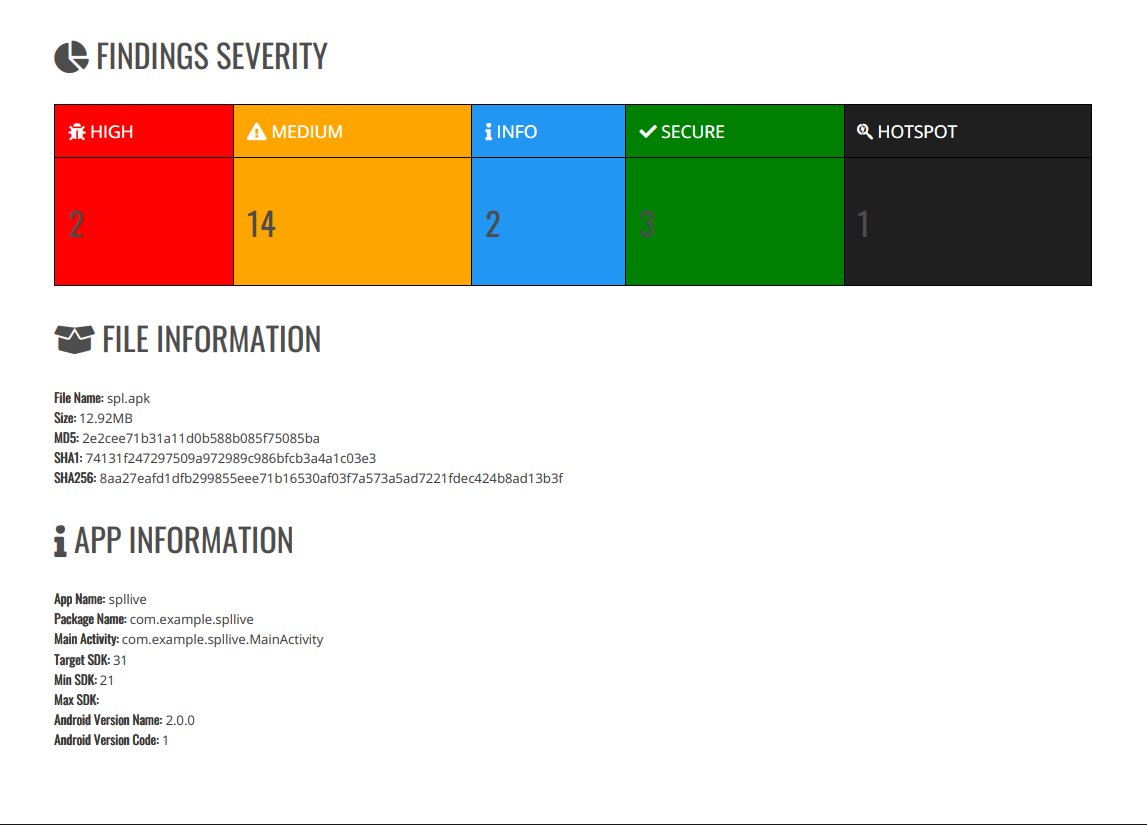
The second pile is where the real work is.
A mobile app talks to a server over HTTP requests and responses, exactly like a web app. So most mobile findings are actually API findings. That is why I treat a mobile test as two jobs: test the client, and test the backend API.
The static analysis of the client is fast, and usually happens near the end. Misconfigurations are quick to catch. The trial and error of finding a real vulnerability is where the time goes.
By the time you are testing for a mature client with an internal security team, the easy misconfigurations and left-behind keys are rare. The one I really enjoyed finding was an authorization failure: an IDOR (insecure direct object reference), a class of broken access control.
The app asks the server for object 1001, and the server hands it over without checking whether you are allowed to see it. Change the number, get someone else's data. It is one of the most common findings there is, with plenty of public writeups against large companies. Easy to find, and a lot of fun.
The mechanics are basic
People imagine this is arcane. It is not. It is mostly knowing which tool to run.
Proxying a phone's traffic is three steps:
- Put the phone on the same network as your laptop.
- Point the phone's proxy setting at your laptop's IP.
- Set Burp to intercept.
Now you can see the traffic, and start testing.
Certificate pinning is the one that sounds intimidating. A pinned app trusts only one specific server certificate, not any certificate signed by a trusted authority. It exists to stop a man-in-the-middle: the app will only ever talk to the real server.
To test a pinned app, you have to bypass the pin so it will accept your proxy's certificate, usually with Frida or objection. In a mature engagement the client just gives you two builds: a production build, and a UAT build with pinning already off.
The thing to understand: bypassing the pin is not itself a vulnerability. It is only how you start testing. The real question is whether the traffic you can now see reveals a weakness.
The phone is not a web page
Here is the idea the whole post turns on.
A website is HTML rendered in a browser. A mobile app is different: it ships actual code to the user's device. And because the device belongs to the user, the code belongs to the attacker.
The APK can be pulled apart. The local storage can be read. The traffic can be intercepted. There is no such thing as a hidden API, because whoever has the app has the code that calls it.
Most developers half-know this and do not build around it. They hide a key in the app assuming no one will look, or they trust that their app is the only thing calling their API. But once your code is on the Play Store, the secrets inside it can be read. I would find them lying there during static analysis, waiting to be used.
Building it the other way
MacroScope was a carb-counting app, first for type 1 diabetics, later for fitness.
It was a personal problem. My girlfriend at the time has type 1 diabetes, and before every meal she had to count the carbs to work out how much insulin to take. Getting it wrong matters, and the arithmetic at every meal is exhausting. I thought an app could help.
We eventually stopped. The type 1 market was small, the medical route meant clinical trials, and the fitness market we pivoted to was already crowded. But the security thinking carried forward.
The first thing to protect was the data, because it was health and personal data. Not money like a banking app, but medical information, which is its own kind of sensitive.
And the first thing my testing experience made me do differently from a normal developer was refuse to put secrets in the app. No private keys, no credentials, no API keys.
So where do they go? On the backend. The only thing that lives in the app is what belongs to that one user: their session and authorization tokens, and nothing else.
Those per-user tokens go in the Keychain on iOS or the Keystore on Android: the platform's protected, hardware-backed storage, sandboxed so one app cannot read another's secrets.
The reason they matter is exactly the mistake I used to find. Developers store tokens in UserDefaults, SharedPreferences, plist files or plain local storage because it is convenient. On a rooted or jailbroken phone, those are trivial to read. Pull a session token out of the wrong storage and you can impersonate that user until the token expires.
Building the app was where the finding I had written up a hundred times finally clicked: they made that mistake because they stored it in the wrong place.
For the rest of the defences we kept it simple and correct. Every request to the backend is authorized with a token. The tokens expire. And we used certificate pinning.
The CGM integration, reading live data from Abbott Libre sensors, was more of a privacy question than a security one. We were only reading data, and we made sure Abbott allowed it. Handling that health data under PDPA meant getting proper consent for what we retained.
What I did not do, and regret, was code obfuscation. We were early and moving fast, so we let it slide. Certificate pinning we got right.
Secure mobile design, in practice
None of these principles are unique to mobile. That is rather the point.
- Practice a secure development lifecycle. Think about the threats at the start, not bolted on at the end. For us that meant deciding on day one that health and personal data was the thing to protect.
- Defence in depth. We did not assume our API was enough. We had pinning as well, and we ran static analysis on our own app to check we had not left secrets lying around.
- Treat the mobile app as untrusted. The one I took away most. The user can inspect and alter the app, so access checks and permissions must be enforced on the backend, never in the client.
- Enforce security on the backend. Rate limits, authentication, authorization. The server is the only place a check actually holds.
The standard worth pointing anyone to is the OWASP MASVS, the Mobile Application Security Verification Standard, with its testing guide, the MASTG. It is the checklist a proper mobile pentest is run against.
Concretely, this is how the assets, threats and controls line up:
| Asset | The threat | The control |
|---|---|---|
| User accounts | Credential stuffing, account takeover, enumeration | MFA, rate limiting, secure sessions |
| Paid / subscription features | Unlocking paid features on a modified client | Entitlement checks on the backend, never the app |
| The backend API | Unauthorized calls, scraping, IDOR | Server-side authorization on every request |
| API keys and secrets | Extraction from the APK or IPA | Never ship a privileged secret in the app |
What could have been better
More threat modelling at the very start. At the time it felt like a stretch for a two-person team with barely any users, and honestly that is a fair instinct. But the table above, the assets, the threat to each, the control for each, is cheap. And it is exactly what threat modelling is.
The bigger lesson was not a security one. We spent about four months building before we properly tested demand. We are engineers, and engineers like building things, so we built. Into the next company we took the opposite order: prove people want the product, and will pay for it, before you build it. Building takes time. Interest is what tells you the time is worth spending.
At enterprise scale
We skipped a great deal, and most of it was the right call for where we were.
No external penetration testing, because at that stage there was nothing to attack. No users, no assets. The whole goal was getting people to want the product. SAST and DAST only minimally, and no external testers. No root or jailbreak detection, no anti-tampering, no RASP, no code obfuscation. No SOC 2 or ISO 27001. Our logging, monitoring and incident-response readiness were thin, which was fine for testing a market.
An enterprise security team would demand all of it: external pentests against MASVS on every release; SAST, DAST and dependency scanning in the pipeline; app hardening with device attestation like App Attest and Play Integrity; formal certification; real monitoring and an incident-response plan.
The gap between "shipped to fifty TestFlight users" and "an enterprise would trust this" is enormous, and most of it is process rather than code.
The one I would add first as the numbers grew is external testing, a proper pentest against the standard, because the point of getting bigger is that you finally have assets worth attacking.
Takeaways
The mental model is the whole thing. The app in someone's hand is a black box that anyone can open. If something important is inside it, they will take it apart and misuse it. So leave the important things on the backend, where you control them.
And for anyone coming from web: mobile is more familiar than it looks. Under the static analysis, most of it is the same dynamic testing you already know, a client and a server talking over HTTP. The app is just a wrapper around an API, and the API is where the real work is, on both sides of the job.
Filed under security, mobile, architecture. If any of this is wrong, or you have hit the same thing, tell me.
Published 15 September 2026.